Your Daily fix of Consumer Technology – As Heard on Radio
Tuesday, October 20, 2026
Menu
Home
Contact
Radio Stations
Home
Contact
Radio Stations
Tips
Tips
Gadget gift ideas for under $20
Continue Reading →
Tips
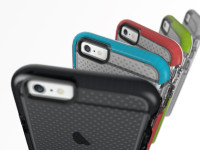
Get tough with your Smartphone Case
Continue Reading →
Interview
Tips
Mobile shopping surge this Christmas
Continue Reading →
Interview
Tips
Giving your computer a speed boost with and SSD
Continue Reading →
Tips
BYOD for School in 2017
Continue Reading →
« Previous
1
…
35
36
37
38
39
…
51
Next »
Latest
Grandparents vs Tech Savvy Kids
Tech that removes “Forever Chemicals” from your Home Water.
Kids Vs Screentime: Vertict
Taking Control of your Tech
Public PayPhones Still in Demand
Telstra warns on callback scams
Archives
Archives
Select Month
October 2026
September 2026
August 2026
July 2026
June 2026
May 2026
April 2026
March 2026
February 2026
January 2026
December 2025
November 2025
October 2025
September 2025
August 2025
July 2025
June 2025
May 2025
April 2025
March 2025
February 2025
January 2025
December 2024
November 2024
October 2024
September 2024
August 2024
July 2024
June 2024
May 2024
April 2024
March 2024
February 2024
January 2024
December 2023
November 2023
October 2023
September 2023
August 2023
July 2023
June 2023
May 2023
April 2023
March 2023
January 2023
December 2022
November 2022
October 2022
September 2022
August 2022
July 2022
June 2022
May 2022
April 2022
March 2022
February 2022
January 2022
December 2021
November 2021
October 2021
September 2021
August 2021
July 2021
June 2021
May 2021
April 2021
March 2021
February 2021
January 2021
November 2020
October 2020
September 2020
August 2020
July 2020
June 2020
May 2020
April 2020
March 2020
February 2020
January 2020
November 2019
October 2019
September 2019
August 2019
July 2019
June 2019
May 2019
April 2019
March 2019
February 2019
January 2019
December 2018
November 2018
October 2018
September 2018
August 2018
July 2018
June 2018
May 2018
April 2018
March 2018
February 2018
January 2018
December 2017
November 2017
October 2017
September 2017
August 2017
July 2017
June 2017
May 2017
April 2017
March 2017
February 2017
January 2017
December 2016
November 2016
October 2016
September 2016
August 2016
July 2016
June 2016
May 2016
April 2016
March 2016
February 2016
January 2016
December 2015
November 2015
October 2015
September 2015
August 2015
July 2015
June 2015
May 2015
April 2015
March 2015
February 2015
January 2015
December 2014
November 2014
October 2014
September 2014
August 2014
July 2014
June 2014
May 2014
April 2014
March 2014
February 2014
January 2014
December 2013
November 2013
October 2013
September 2013
August 2013
July 2013
June 2013
May 2013
April 2013
March 2013
February 2013
January 2013
December 2012
October 2012
September 2012
August 2012
July 2012
June 2012
May 2012
April 2012
March 2012
February 2012
January 2012
December 2011
November 2011
October 2011
September 2011
August 2011
July 2011
June 2011
May 2011
April 2011
March 2011
February 2011
January 2011
December 2010
November 2010
October 2010
September 2010
August 2010
July 2010
June 2010
May 2010
April 2010
March 2010
February 2010
January 2010
0
The Tech Feed Podcast



 Your Daily fix of Consumer Technology – As Heard on Radio
Tuesday, October 20, 2026
Your Daily fix of Consumer Technology – As Heard on Radio
Tuesday, October 20, 2026