
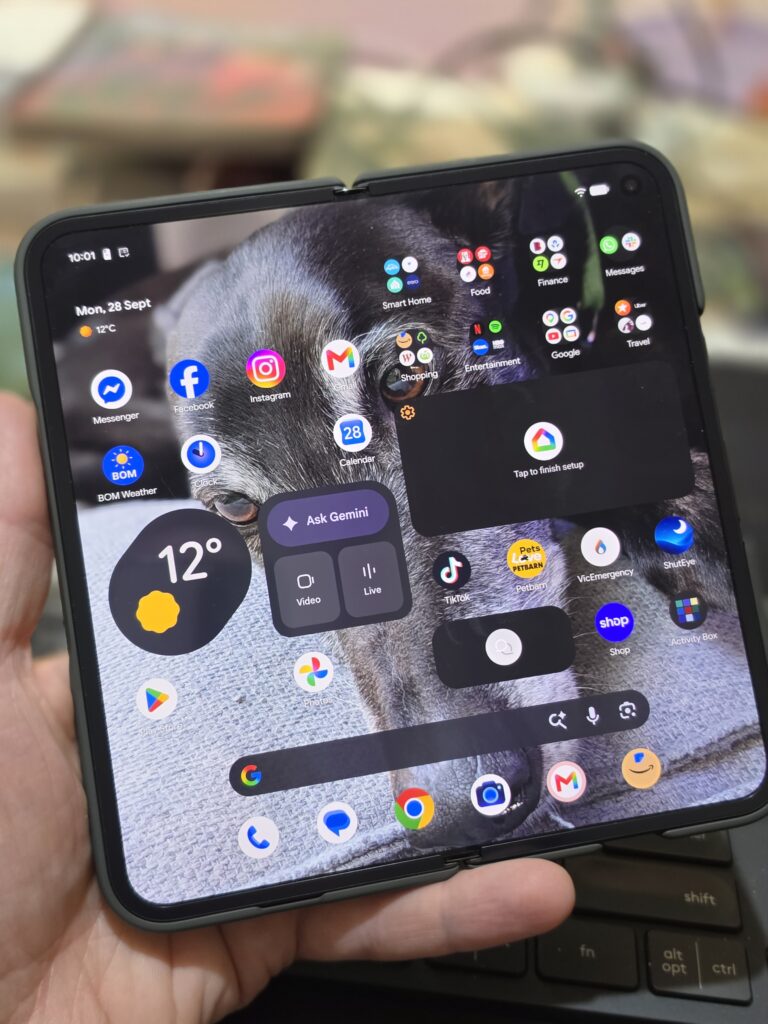
Google’s 3rd generation Pixel Pro Fold device recently landed, and if room to do and see more on your smartphone is what you’re after, then the Pixel 11 Pro Fold is worth a look.
If you already have the Pixel 10 Pro Fold, then I’d say an update would be more a luxury rather than an essential as the camera system remains the same (with a few upgrades) and the overall design is quite similar. The Pixel 11 Pro Fold does introduce additional creative features, a step up in processing power, a higher peak brightness on all screens, plus a few other tweaks including battery capacity, wireless charging standard and the HiLight notification light.
However, if you’re looking at picking up your first foldable smartphone, you’ll love what the Pixel 11 Pro Fold has to offer.
What makes the Pixel 11 Pro Fold great?
If you’re jumping into a foldable smartphone for the first time, the Pixel 11 Pro fold is a great place to start.
It’s NOT heavy/bulky. Actually you can easily argue that for all of the latest foldable devices on the market. At the moment I also have the Pixel 11 Pro on my desk (Single screen, slightly smaller device) and the Pixel 11 Pro Fold is only (approx) 36grams heavier (with a protective case on each device) and not even a couple of millimetres thicker (including case). This is what we’re seeing with many new fold devices. They are very similar in size and weight to single screen devices.
Now, given that that big feature is the foldable screen you may be wondering about the “Crease”. Open up the device and yes, you’ll notice the crease where the device folds (mostly if the screen is off or dimmed) but during normal use you don’t really notice it and it has little impact on the screen content. Supporting this screen hardware is a new hinge, made for extreme structural performance If you have the opportunity, head into somewhere like JB Hi-Fi and get your eyes on it in person.
So now that you have this massive screen you can get to work multitasking with the ability to run two apps side by side. It’s worth noting that it’s up to app developers to support this feature and I found that the native weather app and even Australia’s BOM app wouldn’t run in side-by side mode. However, you can also run apps in “bubble” mode so they can float over other apps on the screen to view up to 3 apps at the same time.
More than just productivity
As a work device the Pixel 11 Fold Pro gives you the tools to get stuff done, thanks to the screen space, processing power, battery life, VPN and scam protection but the device has plenty of creative features that are found in the ‘Pro’ line up.
With the Pixel 11 Fold Pro, you get most of the photo and video editing tools found on other Pro Pixel devices (like Video Boost and Night Sight Video) along with Dual Screen Preview, Rear Camera Selfie, Tabletop Mode Hands-Free Shots, Instant View and Made You Look mode that are exclusive to the Fold due to it’s form factor. The Creator Suite (on all the latest Pixel phones) is also a great tool for Vlogging with it’s auto-scrolling Teleprompter among the features.
And the Verdict?
Stating at just under $2800 for the 256GB device (I’d personally go for Olive Green over Obsidian) it’s quite an investment but you’re getting a whole lot of screen space. If you’re a Multi-tasker, a Creator you’ll get a lot out of the Pixel 11 Pro Fold. I’d love to see the same main camera that’s in the Pixel 11 Pro but understand the sacrafice that needs to be make to make a foldable device into such a compact and light form factor. If you want to shoot 8k Video, get higher spec Photos and 30+ hours battery, then this foldable device won’t be for you.